
Finder (=Directory) Instructions for members
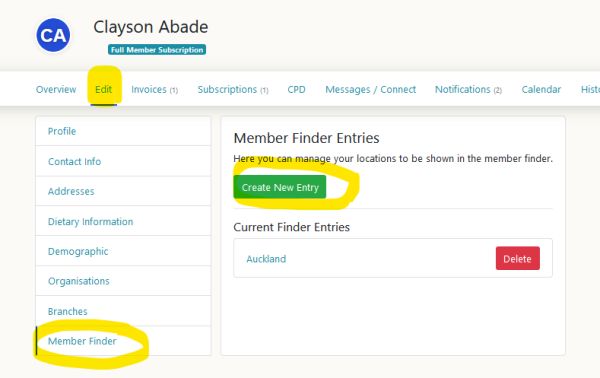
In your profile, under the "Edit tab" choose "Finder" and click on "Create new entry"
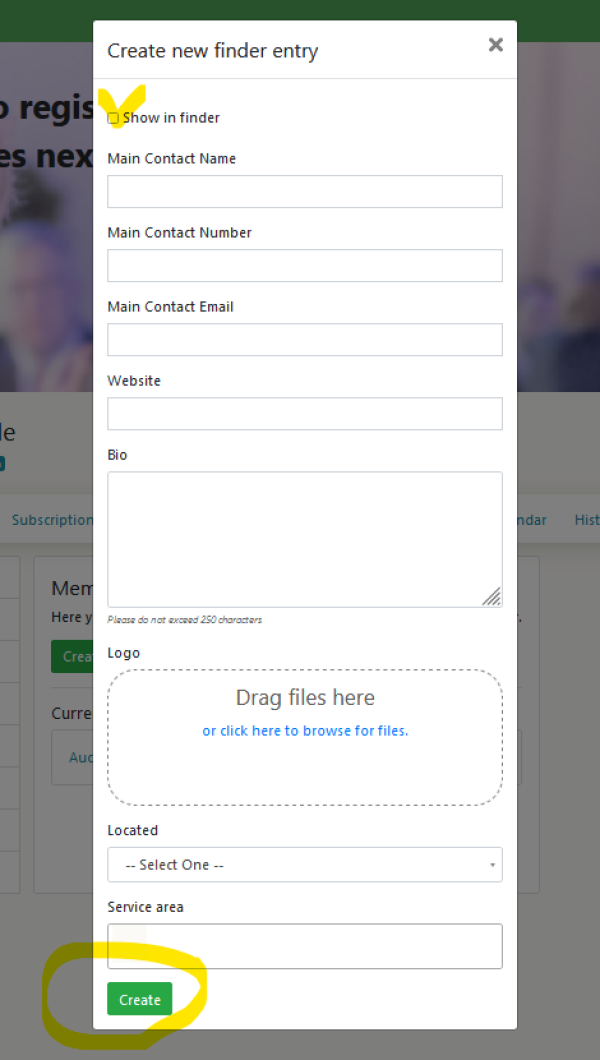
Tick "Show in Finder". Fill in all relevant fields and click "create".
Done!
How easy was that!
In your profile, under the "Edit tab" choose "Finder" and click on "Create new entry"
Tick "Show in Finder". Fill in all relevant fields and click "create".
Done!
How easy was that!